Workflow
Sales Call Content Repurposing: A Complete Workflow
A complete, repeatable workflow for turning recorded sales calls into reviewable B2B marketing content, from selecting evidence to following up after publication.
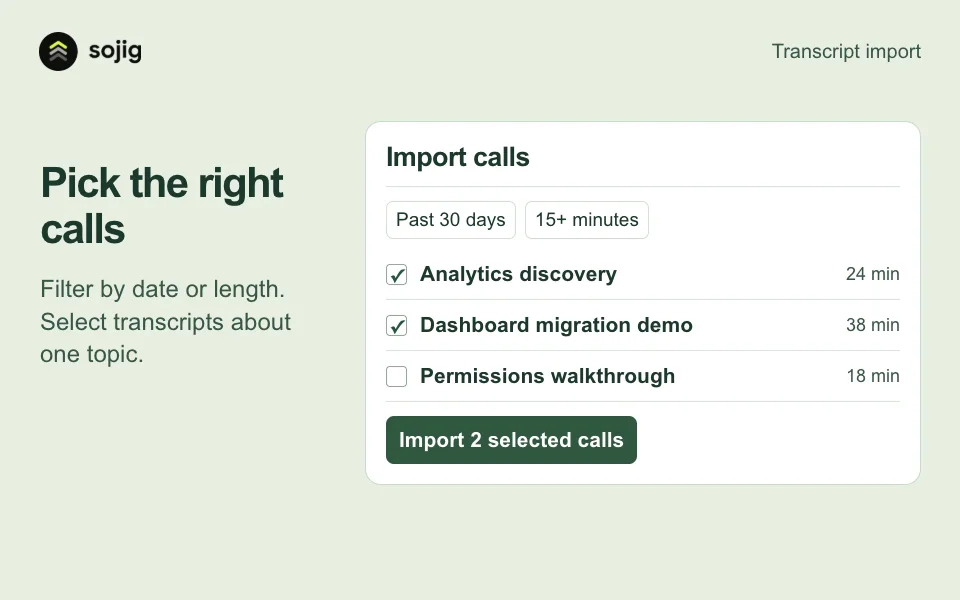
Bring discovery and demo calls into Sojig. Paste text, upload transcript files or import selected calls from recorders like Zoom, Gong, Fathom or Fireflies.
Start with a topic such as onboarding, integrations or pricing objections. Paste several transcripts, upload TXT, VTT or SRT files, or connect a supported recorder in Calls & recorders. Select the conversations that cover the topic you want to write about.
The available history depends on the recorder. Long selections can create multiple packs, and Sojig shows the total credit cost before generation.
Avoma, Circleback, Dialpad, Fathom, Fellow, Fireflies, Gong, Grain, Granola, MeetGeek, Read AI, tl;dv, and Zoom.
Follow the setup steps to import a Fathom transcript, connect Fireflies, bring in a Zoom cloud transcript or work from a Granola meeting transcript.
Access depends on the provider’s plan and permissions, and a transcript must already exist. For Google Meet, Microsoft Teams, Otter, or any other source, paste the transcript or upload a TXT, VTT or SRT export you’re authorized to use.
Choose calls with detailed customer questions and answers. For an onboarding article, three conversations about data migration give you a tighter brief than a mixed folder of unrelated demos. Use transcripts your company is authorized to process. If you’re working from a workshop or customer interview, follow the meeting-to-content workflow.
Keep speaker labels and timestamps your recorder provides, then verify who said what before quoting a participant. For an English LinkedIn draft from a conversation in another language, bring an authorized English transcript or translated excerpt and have a bilingual reviewer check the original meaning. Audio transcription and speaker identification happen in your recorder or transcription tool.
Workflow
A complete, repeatable workflow for turning recorded sales calls into reviewable B2B marketing content, from selecting evidence to following up after publication.
Next feature: Product context
Create a draft, review the source and decide what your team wants to publish.
Start free trial8 free credits. No credit card required.